One studio, from blank page to bookshelf.
Write it, illustrate it, cover it, narrate it, prove it will print, and write the listing that sells it. Everything below is the real product — these are screenshots, not mockups.
Write it.
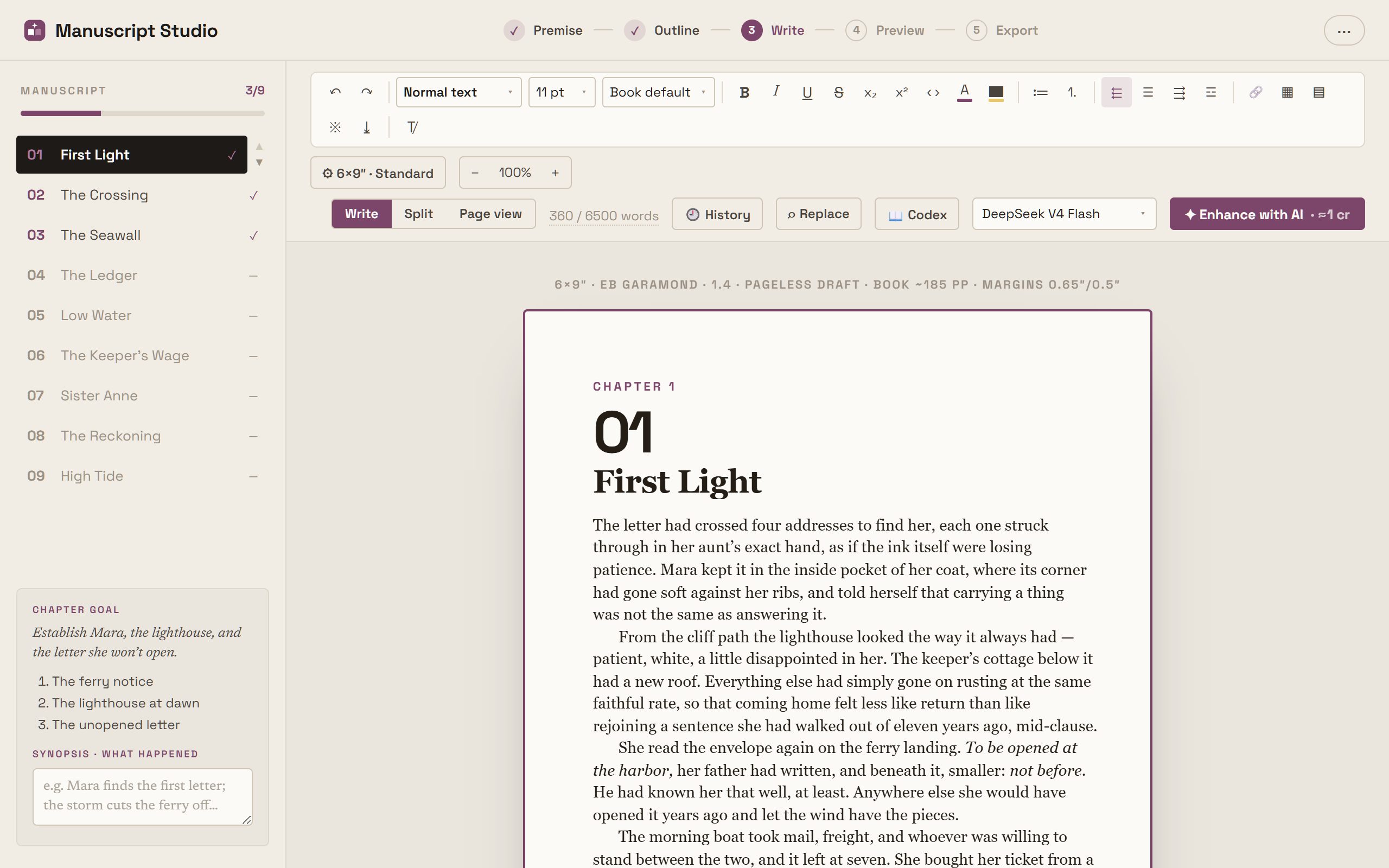
A real word processor on the real page, and an AI that never once writes over your words.
A word processor, on your book’s true page.
Headings, quotes, lists, tables, page breaks — on a sheet with your book’s true trim width and print margins, your chapter rail and goals always beside you.
When a passage needs lifting, hit ✦ Enhance: the AI’s draft lands beside yours and you accept, reject, hand-edit or regenerate. Nothing is ever overwritten silently.
One idea in. A whole arc out.
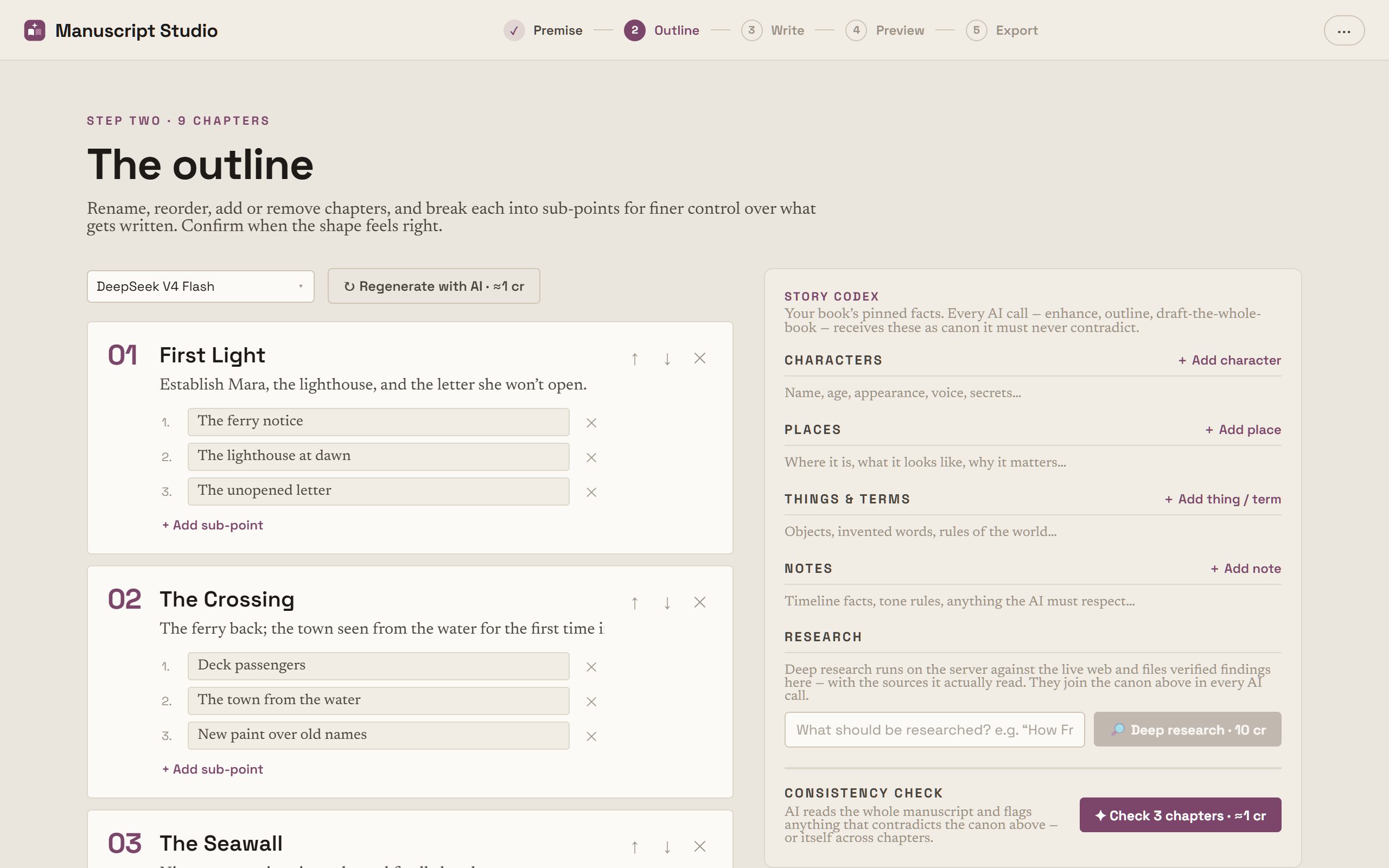
Your premise becomes a coherent chapter-by-chapter arc — or you lay it out yourself. Rename, reorder, add sub-points, regenerate until the shape feels right.
Then it stays coherent: every AI call carries the full outline and the story so far, so chapters written weeks apart still read as one book.
The unglamorous half that makes a long manuscript survivable.
Story codex
Pin characters, places and facts as canon. Every AI call — outline, chapter, whole-book draft — treats it as immutable truth.
Consistency check
One click audits the manuscript against your codex and flags contradictions with the exact quote, the chapter and a fix.
Deep research
Give it a topic; it researches the live web, files findings into your codex with real sources, and grounds later chapters in them.
Import your manuscript
Bring an existing draft in from DOCX, EPUB, Markdown and more — chapters detected, formatting preserved.
Version history
Every chapter keeps restore points: before each AI accept, each find-and-replace, and rolling checkpoints as you write.
Draft the whole book
Auto-draft writes every empty chapter in order on our servers. Close the tab; come back to a first draft.
Make it.
Eight kinds of book — because a coloring book, a photo book and a puzzle book break every rule a novel lives by.
For these, the page is the unit — not the chapter.
The page count is exact rather than estimated, so they get their own editor — a real page designer — with the trim, paper, ink and bleed each kind actually prints on, set from the start.
Novel or non-fiction
Flowing chapters, typeset to your trim — the manuscript pipeline.
Coloring book
Full-page line art, one design per sheet.
Children's picture book
Full-colour illustrations with a line or two of story, read as spreads.
Planner / journal
Undated spreads, grids and ruled pages — built from templates, not AI.
Recipe book
A photo, an ingredients column and a method that has to fit the page.
Photo book
Photography, art, travel and gift books — picture-led, in colour.
Word search puzzles
A generated letter grid and its word bank on every page.
Sudoku puzzles
A generated grid on every page — 4×4 up to 16×16 — with its answer at the back.
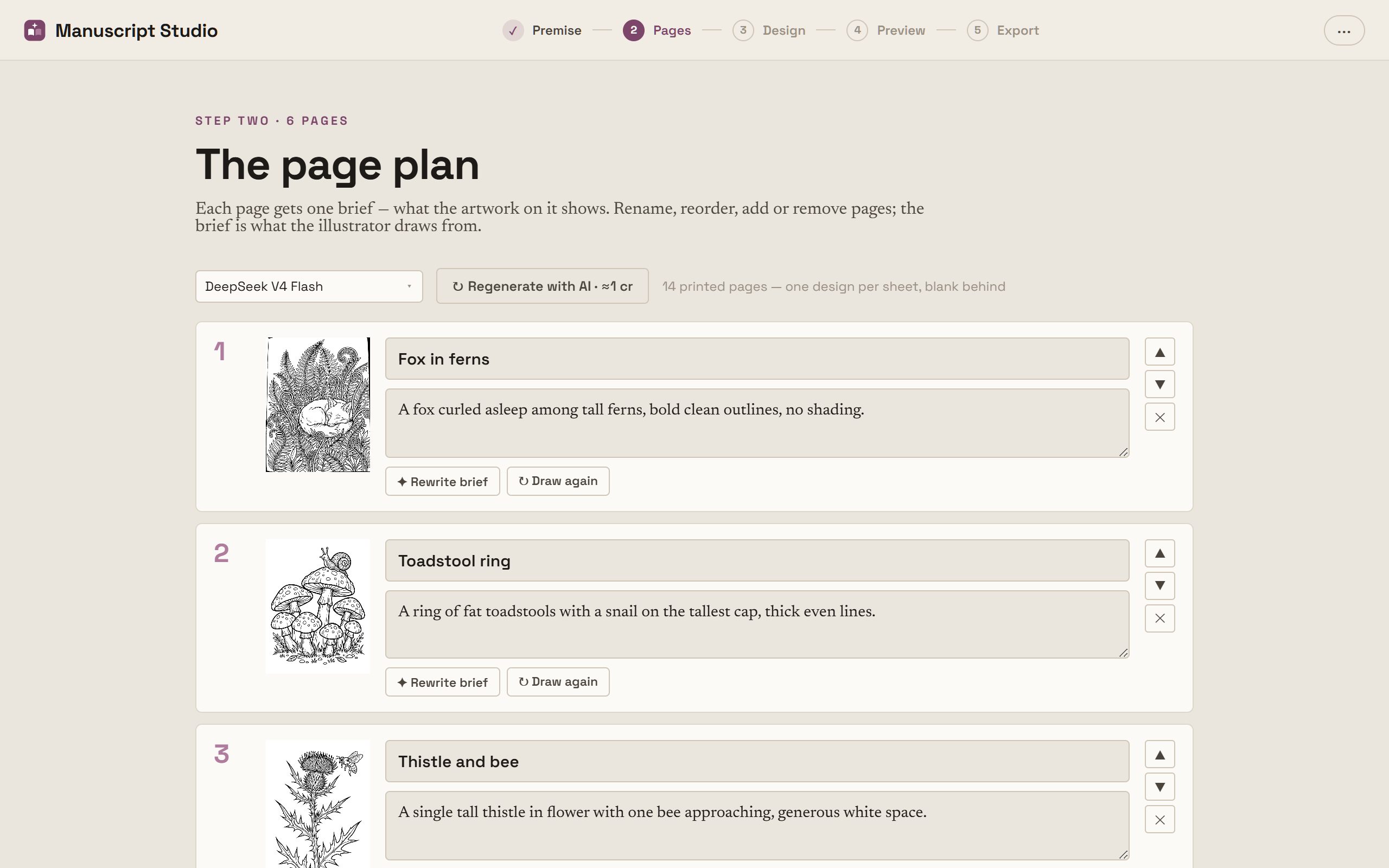
Describe each page. Watch it get drawn.
Say what each page should show; the AI illustrates it. Line art comes out flattened to pure black and white, because the antialiased grey every image model produces falls below the minimum ink coverage a printer will reproduce — which is why lines come out broken.
Preflight runs as you work: art that misses the bleed, type too small to read, colour in a black-ink interior, grey too light to print at all.
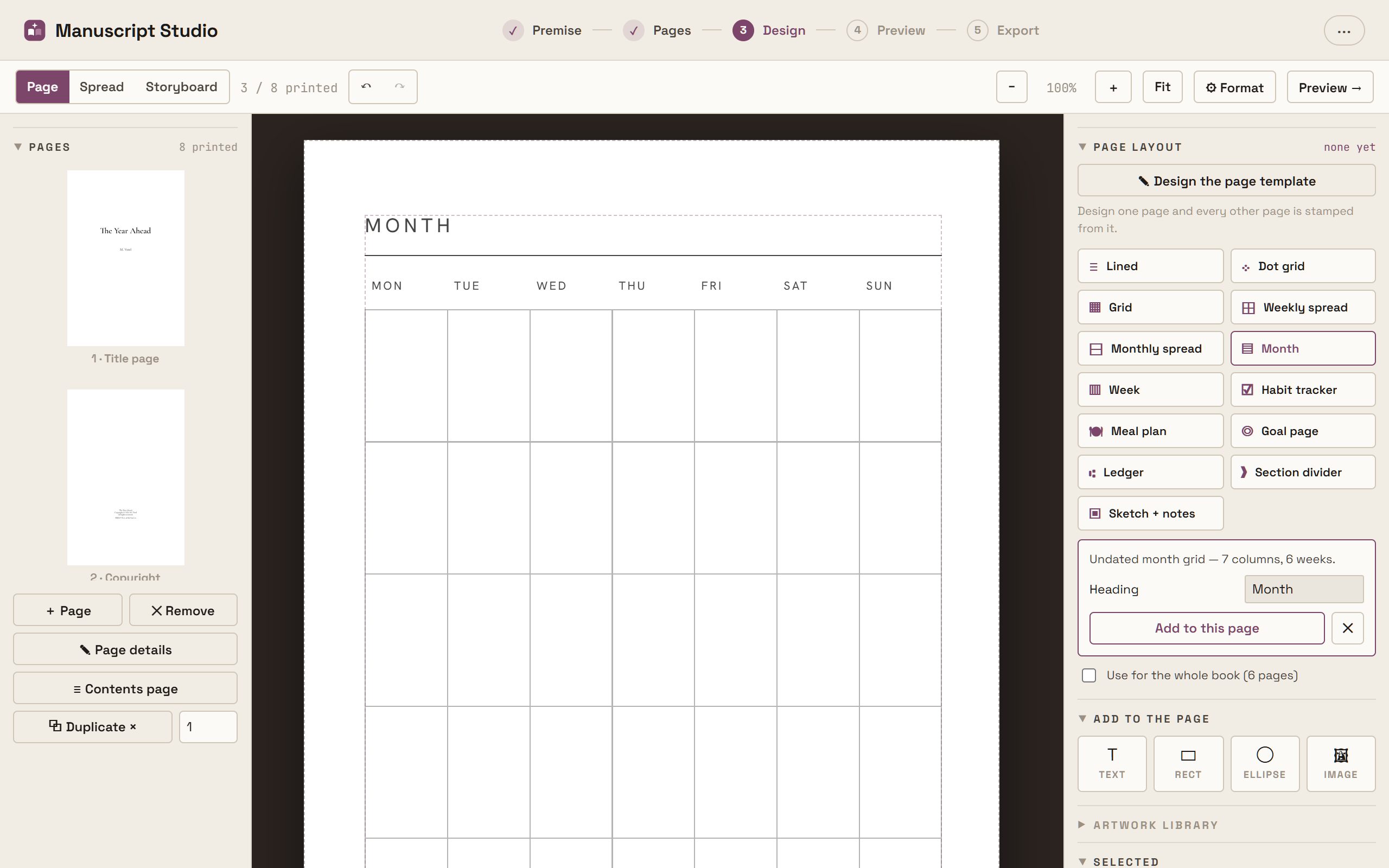
Design one page. Every page follows.
Ruled lines, dot grids, month and week spreads, habit trackers, meal plans, ledgers, recipe and photo-book layouts — generated to your page, not pasted in, so writing lines follow the gutter and a spread’s two halves mirror correctly across the fold.
Adjust the template’s own settings, then stamp it across the book at once.
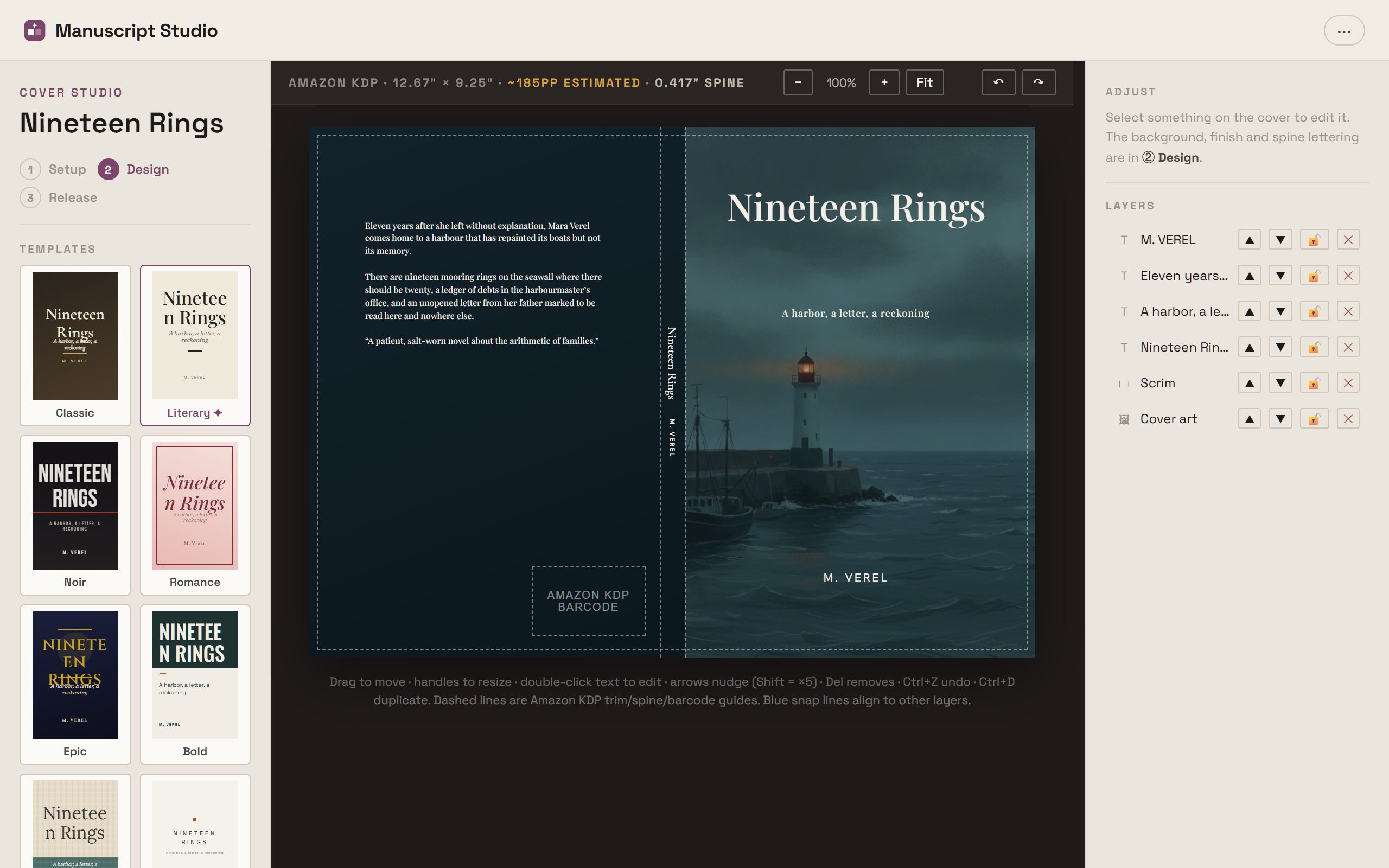
A bookstore cover, on your printer’s exact wrap.
Start from a genre template, then design front, spine and back on the wraparound canvas — spine width computed from your real page count. Free-form text, shapes and images with snap guides, plus AI cover art from a one-line prompt.
Set the trim, binding, paper and bleed here too, and the editor’s pages re-typeset to match.
Prove it prints.
Four printers, each with its own trims, gutters, spine maths and barcode rules — checked separately, before you upload anything.
Every check a printer would fail you for.
Pick the printers you’re publishing on — Amazon KDP, IngramSpark, B&N Press, Lulu — and the board checks your book against each one separately. They disagree enough that the same manuscript legitimately has a different page count and a different spine on two of them.
It measures, it never estimates
Nothing that depends on your page count runs off a word-count guess. The interior is rendered and counted first — a spine built on an estimate is a cover the printer rejects.
Every number carries its source
Published spine calculators disagree by enough to fail a cover, so each figure says where it came from and when it was checked. Where a platform keeps its formula private, the board asks you to read one number off their calculator rather than quietly inventing it.
Approval expires when the book changes
Add a chapter after signing a cover off and the tick comes back off, because it was approved at a different length. A tick that survives a page-count change is a lie.
When every target passes, one button builds the lot: each platform’s interior and cover wrap, rendered to its own rules, zipped with a spec sheet. You still upload to the stores yourself — we make the files that pass.
Every format your book needs to ship.
One manuscript, every deliverable: the print-ready interior PDF, a reflowable EPUB 3 for Kindle and every other store, an editable DOCX for your editor, and the cover files each store wants.
All of it built from the same layout engine you wrote on, so the export can never disagree with the editor.
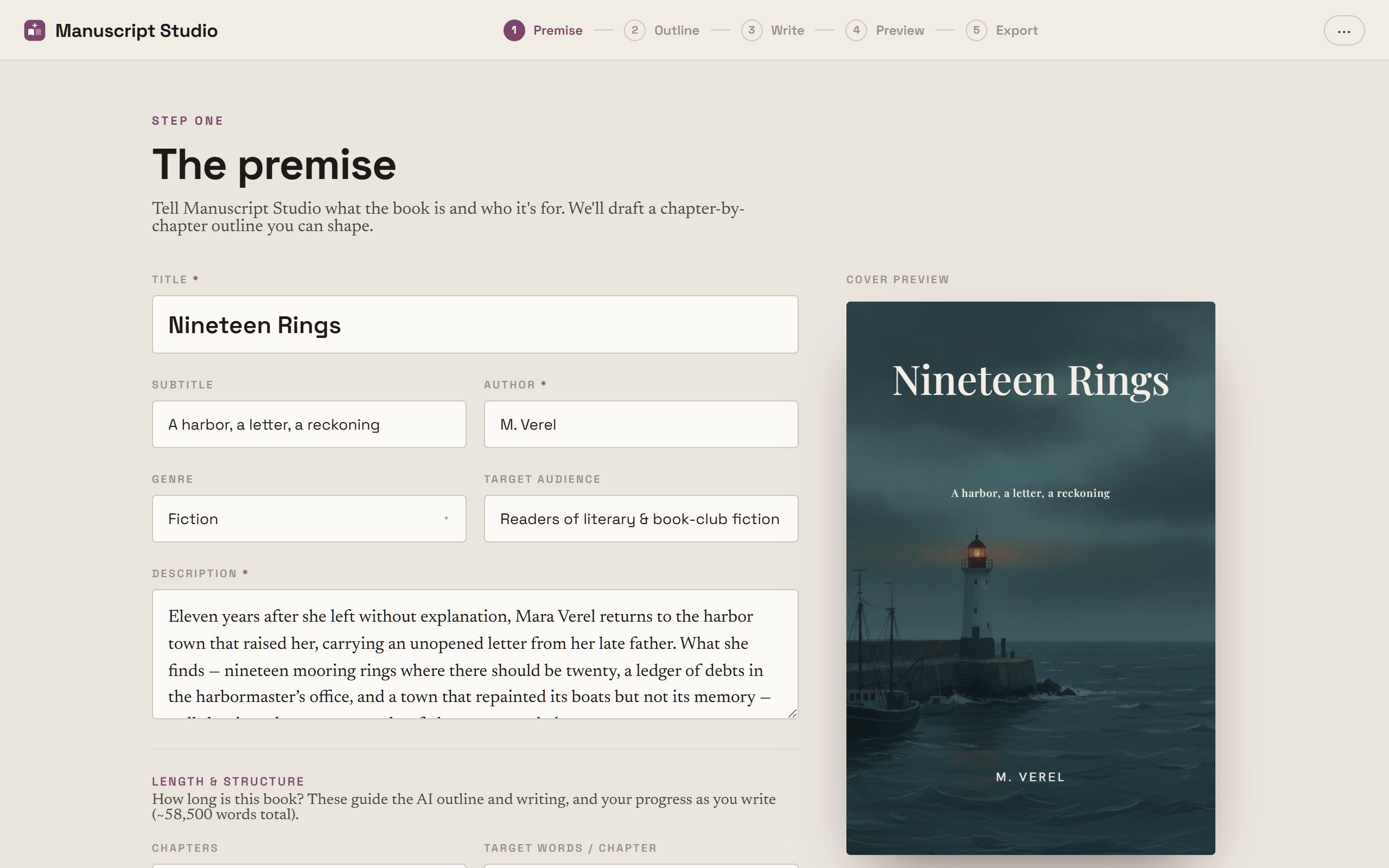
Set the format once. Write on the true page.
Choose your printer and trim up front. Margins, gutters and spine width follow that platform’s rules automatically, and from then on what you see in the editor is what prints.
Then sell it.
Files don’t sell books; listings do. And an audiobook you can correct one sentence at a time.
An audiobook you can fix one line at a time.
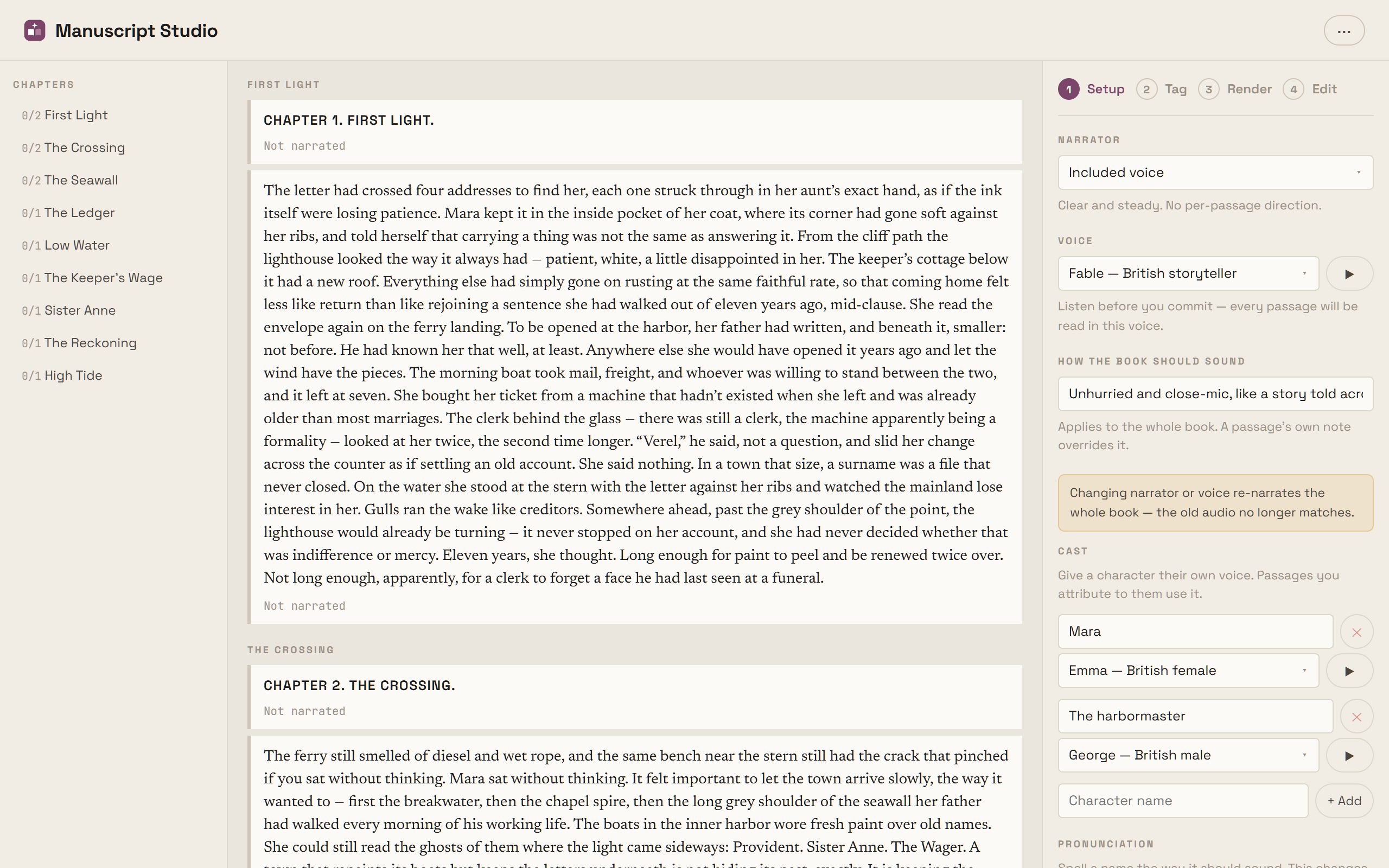
Your book is cut into passages, each rendered and priced on its own. Fix a typo on page 200 and only that passage re-narrates — the rest is already made and stays free. It’s punch-and-roll, the way real narrators work.
Direct the performance in plain words, give a character their own voice, spell a name the way it should sound. Then the studio transcribes its own output back and flags any passage that drifted from your text.
Worth knowing up front: ACX and Audible do not accept AI narration. These files are for Google Play, Spotify, Kobo and Findaway — and on Amazon, Virtual Voice on the eBook. Creator plan and up.
The part that actually sells the book.
Blurb, tagline, keywords, categories, author bio and social posts — written from your actual premise, codex and opening pages, then checked against each store’s real field limits, counting the way that store counts.
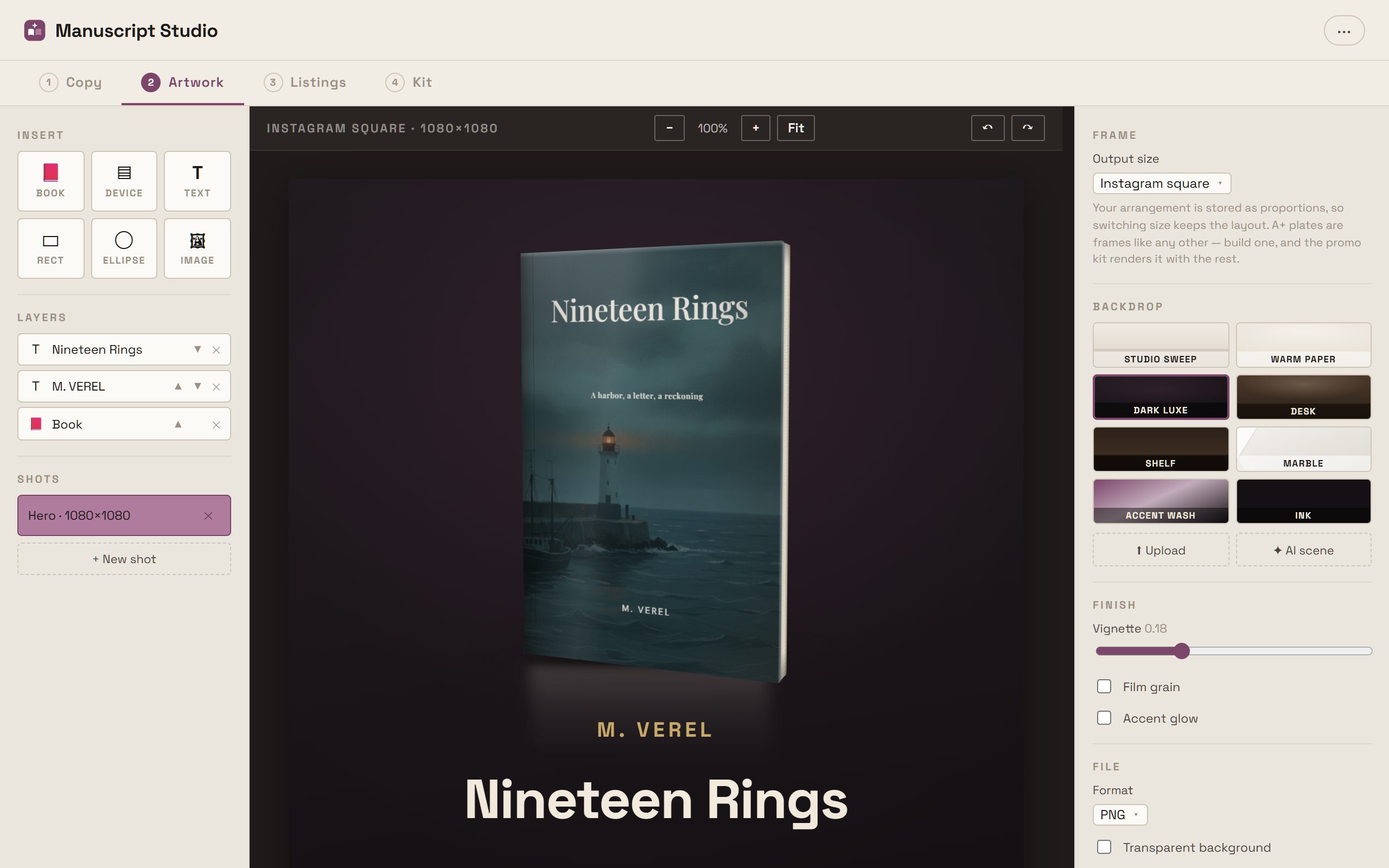
Your cover becomes a real three-dimensional book you can turn to any angle, on studio backdrops, at every size the stores and socials want.
There is deliberately nowhere to put a comparison title, a review quote or an award — a field that doesn’t exist can’t be invented, and inventing those is false advertising.
A shelf you can almost touch.
Every book autosaves to the cloud and stands on your shelf as a real 3D volume, built from your actual cover, with a spine that thickens as the manuscript grows. Hover one ↓
This page is the product. Retheme it.
Manuscript Studio follows your device’s light or dark setting, and five accent themes run through the whole app. These are the real controls — even the screenshots above re-shoot themselves.
See it with your own book.
Plans from $5/month — paste a premise and watch the outline arrive.
Or read the documentation first — every room of the studio, written up.